Charts that sit
the way the beads do.
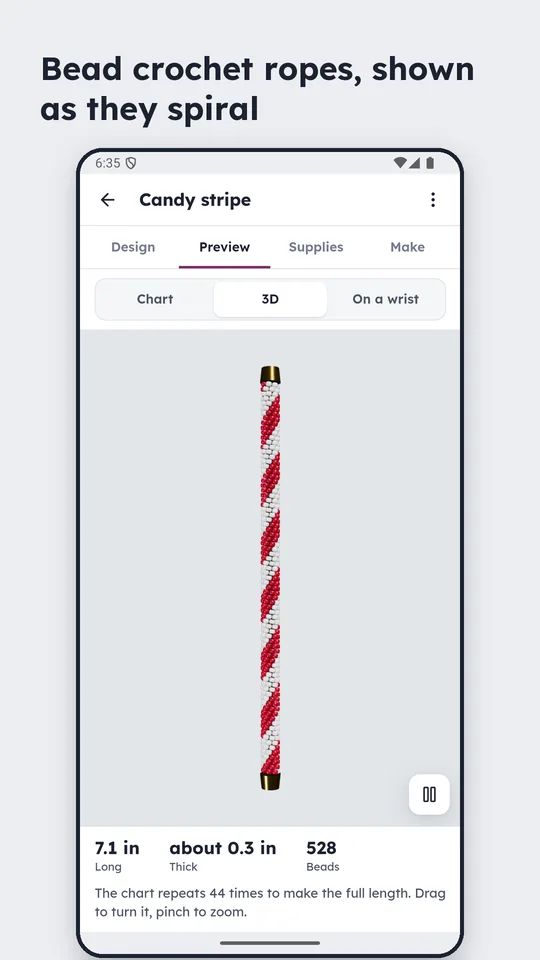
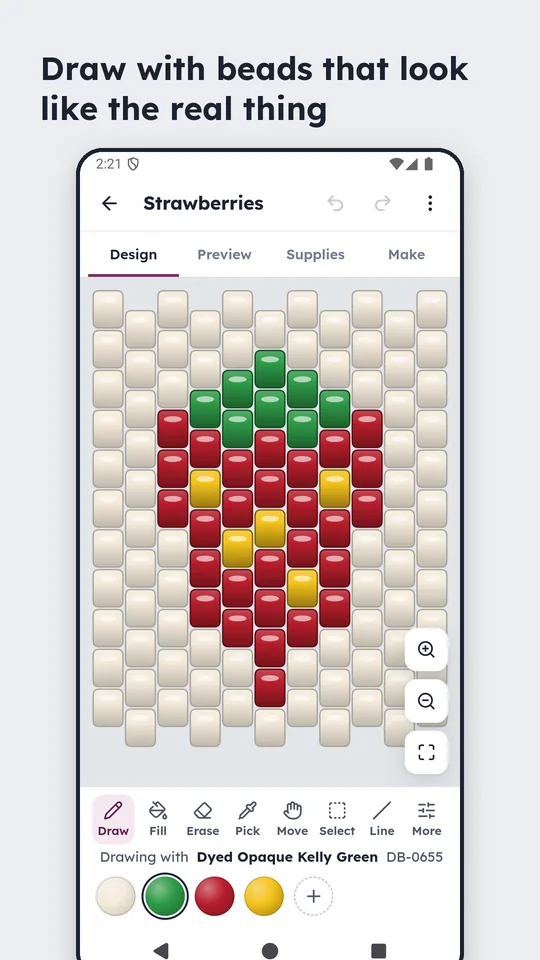
Most pattern software draws every craft on one square grid and leaves you to translate. Bead Bench draws peyote on offset columns, brick stitch and kumihimo on offset rows, and bead crochet as a half-bead spiral — so the chart in your hand matches the work on the table.
Four steps, whichever craft
Every project moves the same way: design the chart, preview the finished piece at its real size, get the supplies list, then work it one row at a time. Start from a blank chart sized for what you are making, from one of 288 example patterns, or from a photo.
The chart matches the craft
Peyote draws on offset columns, brick stitch and kumihimo on offset rows, herringbone as columns of leaning pairs, right-angle weave in units of four, bead crochet as a spiral. Get that wrong and a pattern is useless for the craft it claims to cover.
A list you can order from
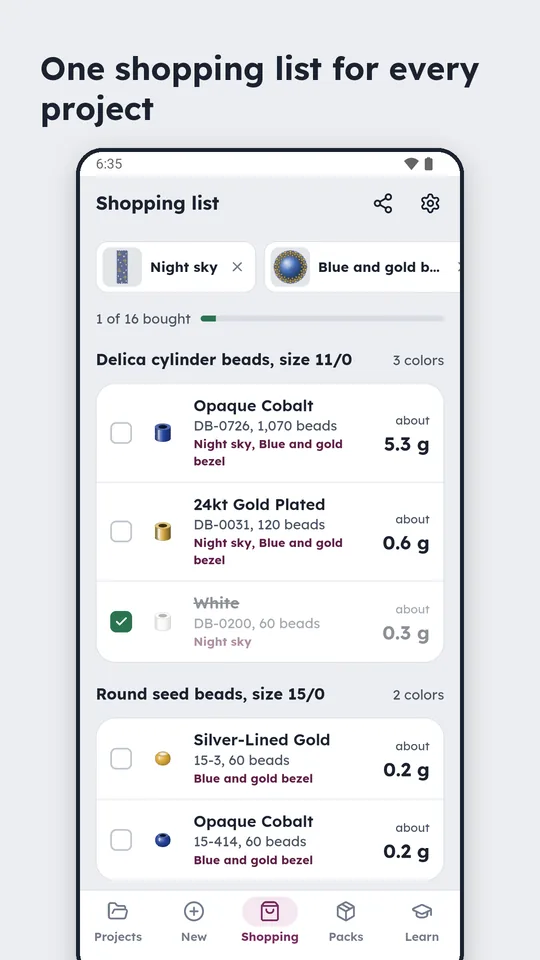
Put several projects on the Shopping tab and the beads they share are added up into one list, each colour with its shop code and the grams to buy. Counts come against Miyuki Delica, Miyuki and Toho round codes, Hama numbers and Perler colour names, with pegboard counts, thread and cord lengths and end cap sizes.
Browse every bead colour
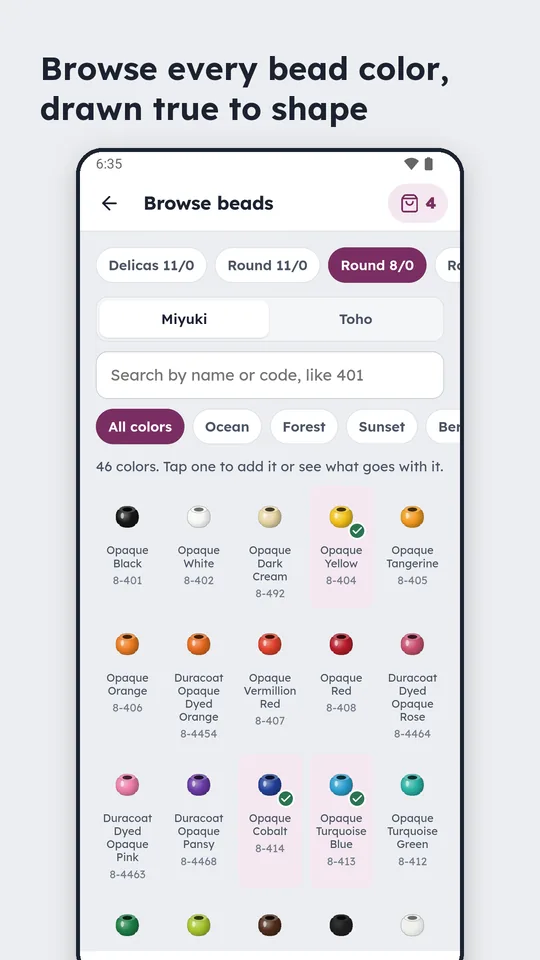
Delicas, round seed beads in each size, Miyuki or Toho, searched by name or code and filtered by theme. Each bead is drawn as its own shape rather than a flat swatch, and anything you like goes straight into a basket on the shopping list.
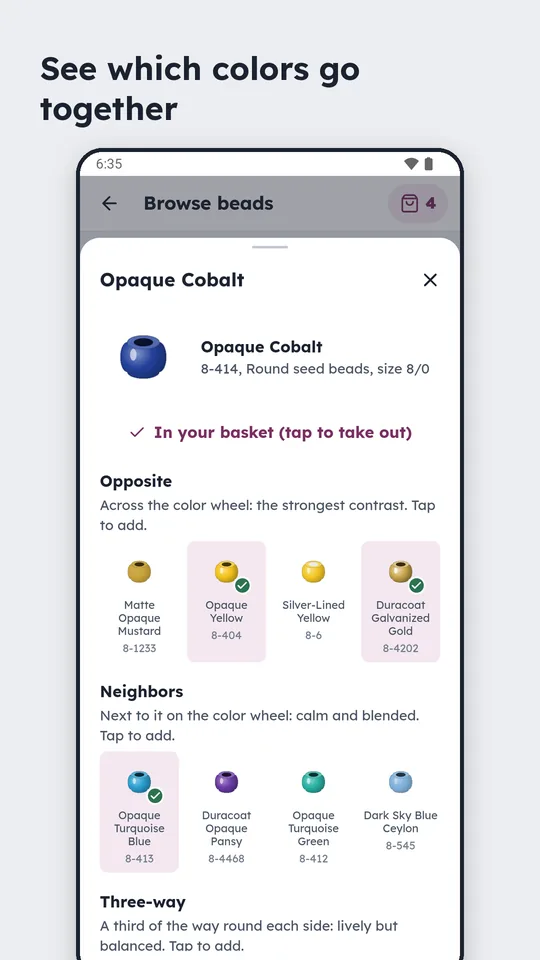
See which colours go together
Tap a bead and the app shows what sits opposite it on the colour wheel for the strongest contrast, what sits next to it for something calmer, and a three-way split for lively but balanced. Every suggestion is a bead you can actually buy, with its code.
Made with your hands full
A chart you have to keep touching is a chart you lose your place in. Make mode holds the row for you, and hands-free mode gets the phone out of the way entirely.
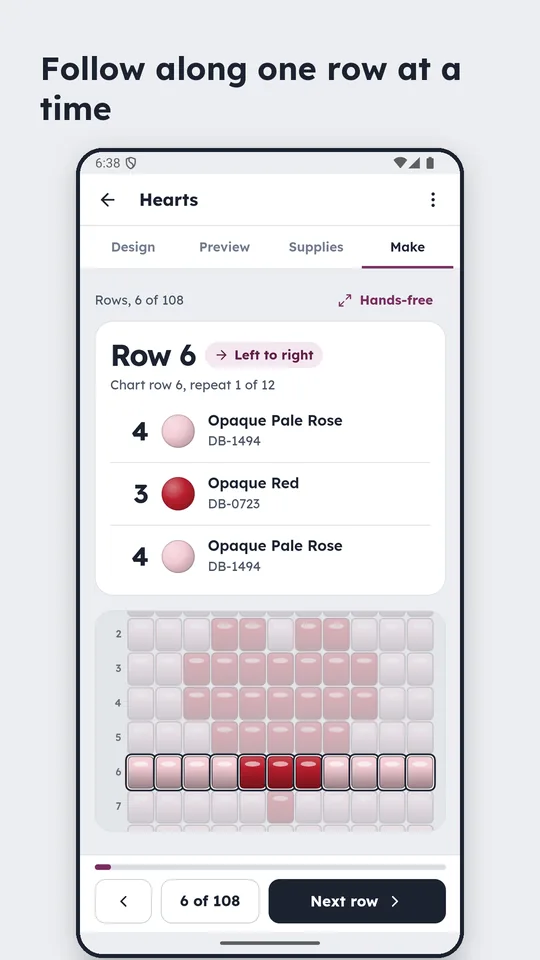
One row at a time
Pick-up counts and direction, with the current row highlighted on the chart so you can look up and find your place again. Kumihimo adds bobbin loading and a disk diagram for every move.
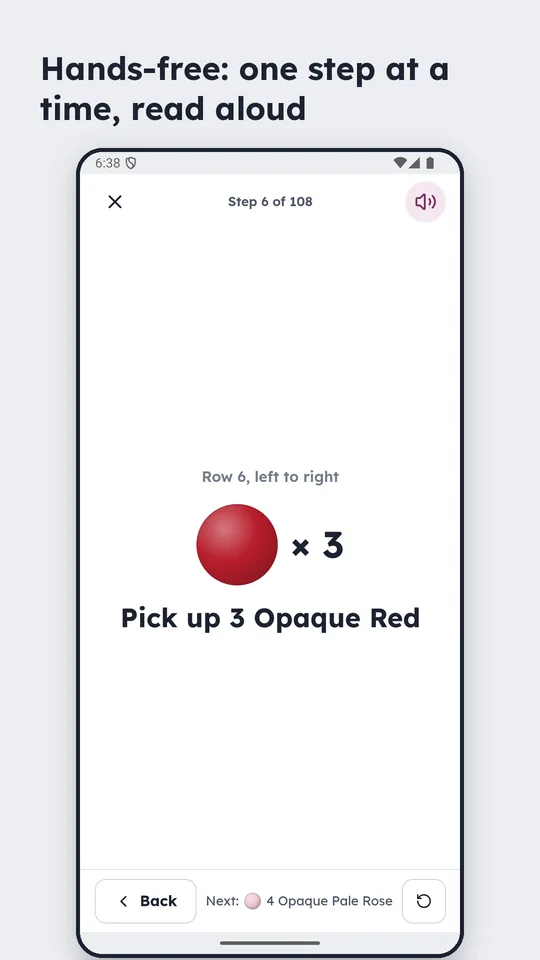
Hands-free
One instruction at a time in large type, read aloud, with the screen kept awake. A Pro feature, free for the first three uses.
How a project goes
Design
Draw on the craft's own grid, or open one of the 288 worked examples and change it.
Preview
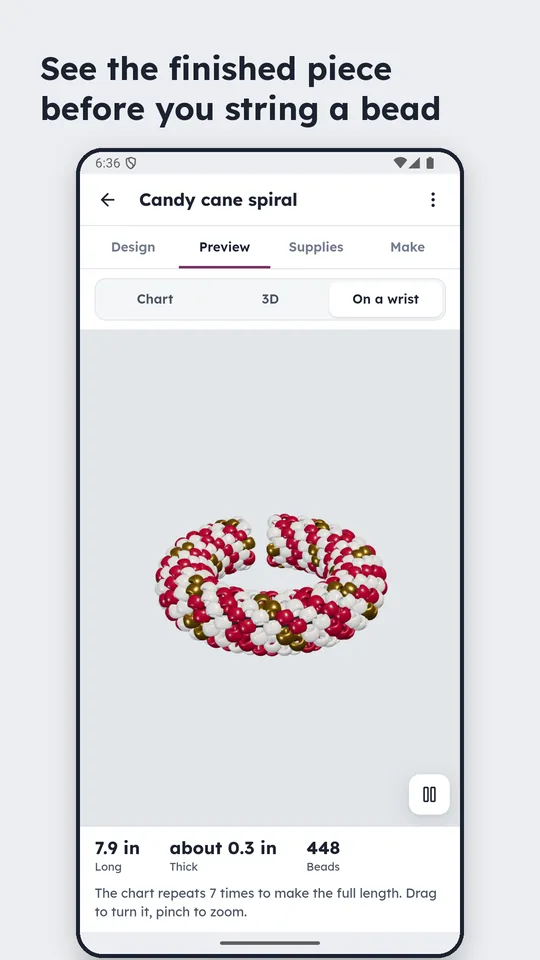
The whole piece flat, in 3D, or wrapped round a wrist, at its finished size.
Supplies
Bead counts and grams with real shop codes, cord lengths, end caps and a tools checklist.
Make
One row at a time, or hands-free in large type with the screen kept on.
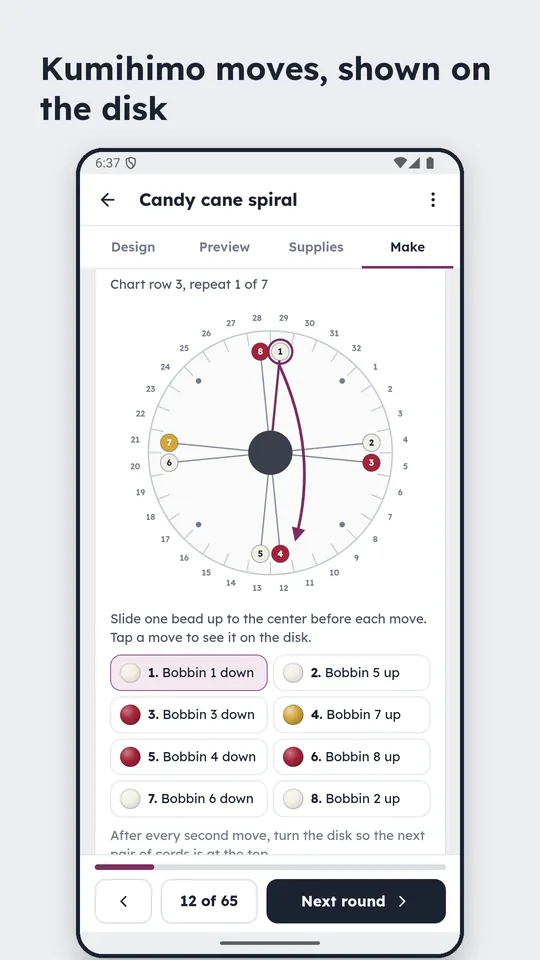
Kumihimo gets its own diagram
A kumihimo chart alone doesn't tell you what to pick up, so the app loads the bobbins for you and draws the disk for every move, on 8 or 16 bobbins, beaded or plain satin cord.
See it before you bead it
The finished piece laid flat, turned in 3D, or wrapped round a wrist with its length and width, so a cuff that will not go round a wrist is caught before the first bead.
Free, with Pro
The app is free, and projects stay on the device: no accounts, no ads, no tracking. Pro is a one-time purchase rather than a subscription, and every Pro feature works a few times free first so you can try it on a real project.
| Price | $7.99 one-time · $4.99 for the first sixty days after launch |
| Pro unlocks | Printing · hands-free mode · photo to pattern · the text tool · mirror drawing · sharing without the “Made with Bead Bench” line |
| Free first | Three uses of each, twice for your own photos |
| Always free | All eleven crafts, the 288 example patterns, the charts, previews, supplies lists, the Shopping tab, the bead browser and Make mode |
The details
| Crafts | Loom · peyote, including kandi cuffs on pony beads · brick stitch, shaped with fringe · square stitch · herringbone (Ndebele) · right-angle weave · bezels round a rivoli · kumihimo, beaded or plain cord · bead crochet ropes · bead cross-stitch on Aida · fuse beads on pegboards (Perler and Hama) |
| Shopping | Several projects totalled into one list with shop codes, ticked off as you buy. Browse every bead colour by theme or by what goes with one, and add loose beads to a basket. |
| Printing | True bead size or double, on Letter or A4, with row numbers, a colour key with counts, and 1 in and 5 cm check bars. Long charts continue across pages; a fuse-bead chart prints one pegboard to a page. |
| Learning | A first-time tour, a Learn page for every craft, and a Beginner setting that keeps the tools simple |
| Beads | Miyuki Delica, Miyuki and Toho round seed beads, pony beads, Perler and Hama Midi |
| Platform | Android · com.jdcap.beads · works offline |
| Status | 1.0.7, in closed testing on Google Play |