The actual planet,
on your wrist.
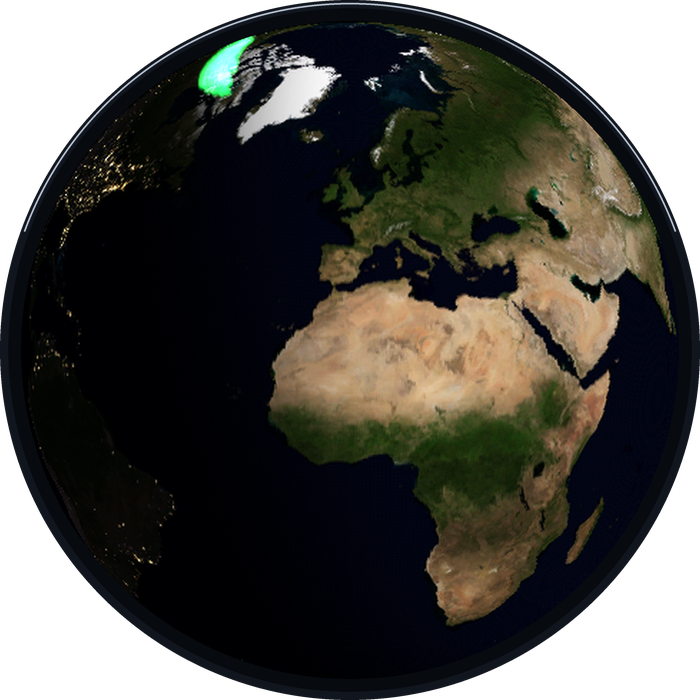
Planetaria for Wear OS is the desk globe's little sibling: the same live Earth, computed on a watch. The day/night line is where the Sun really is. The clouds are NASA's latest satellite pass. Earthquakes pulse at their true epicentres, the ISS tracks overhead, and the city lights come on where night has actually fallen. Swipe, and you're at the Moon, showing tonight's true phase.
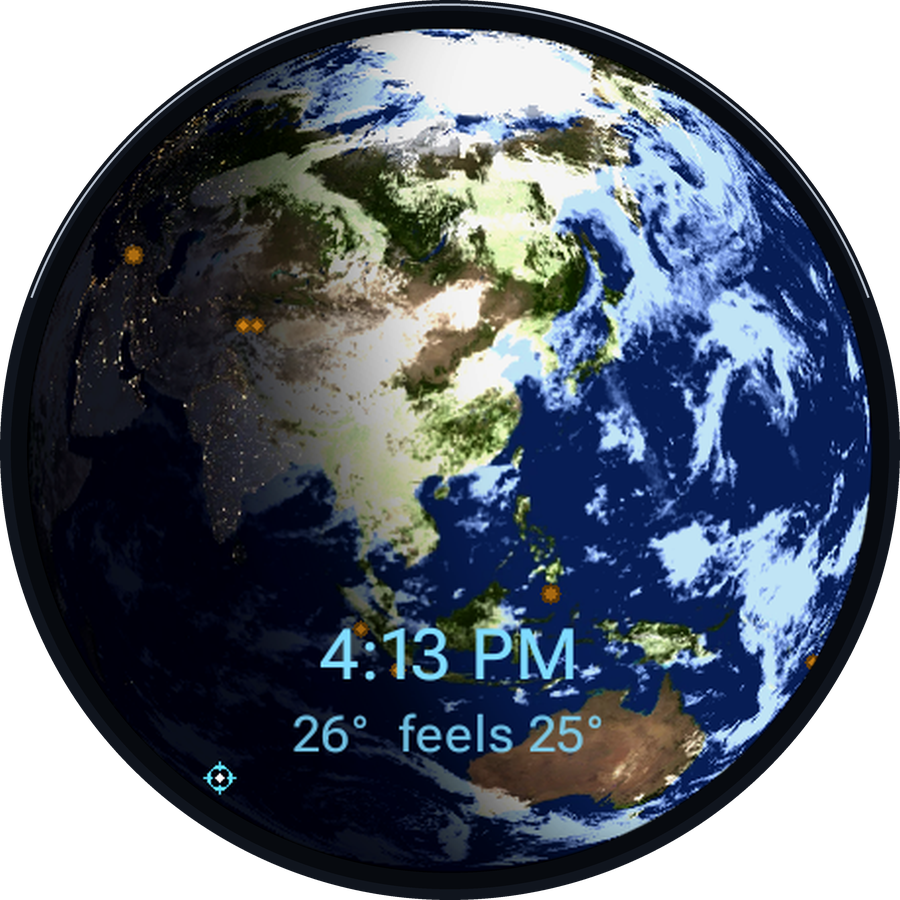
It is not a wallpaper
Every frame is computed on the watch from the real world: the Sun's true position for this exact minute, fresh NASA imagery, live USGS and NOAA feeds. Nothing is an animation loop; turn the Motion setting to time-lapse and watch a whole day of daylight sweep the planet in two minutes.
The real day & night
The sunlit and shadowed halves are placed astronomically, with a soft twilight band exactly where dusk is falling on the real planet. NASA VIIRS clouds are fetched daily; the night side glows with real city lights.
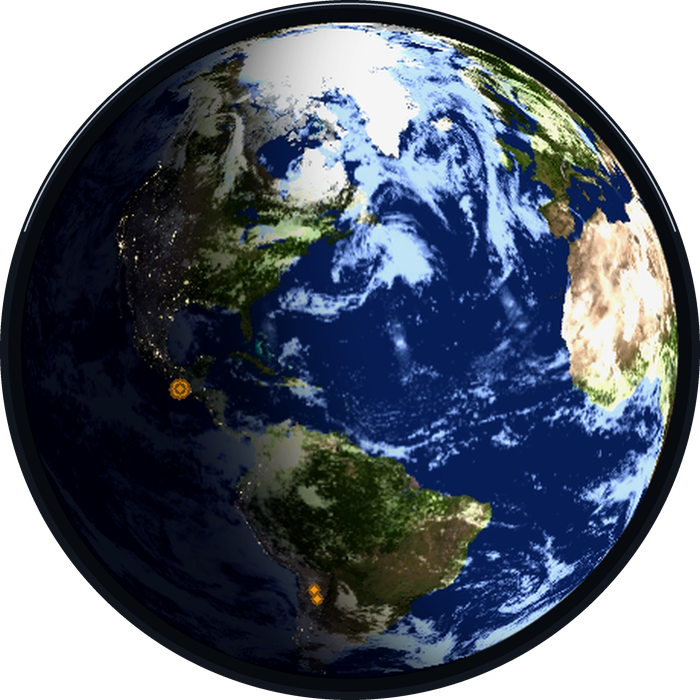
A living planet
Recent magnitude-4.5+ earthquakes pulse at their true epicentres. The ISS crosshair crosses the disc on its real orbit. On the schedule you choose, a time & weather card fades in over the globe: local time, temperature and feels-like, then leaves the planet clean.
Fourteen views, one swipe
Earth is the first page of a carousel that wraps around in both directions: a live NOAA tide dial for the nearest station · the Moon, tidally locked and lit exactly as much as tonight's moon · a night-sky planisphere of the constellations above your location · the Sun · and Mercury through Neptune in real imagery. Settings and attribution close the loop.
The living Moon
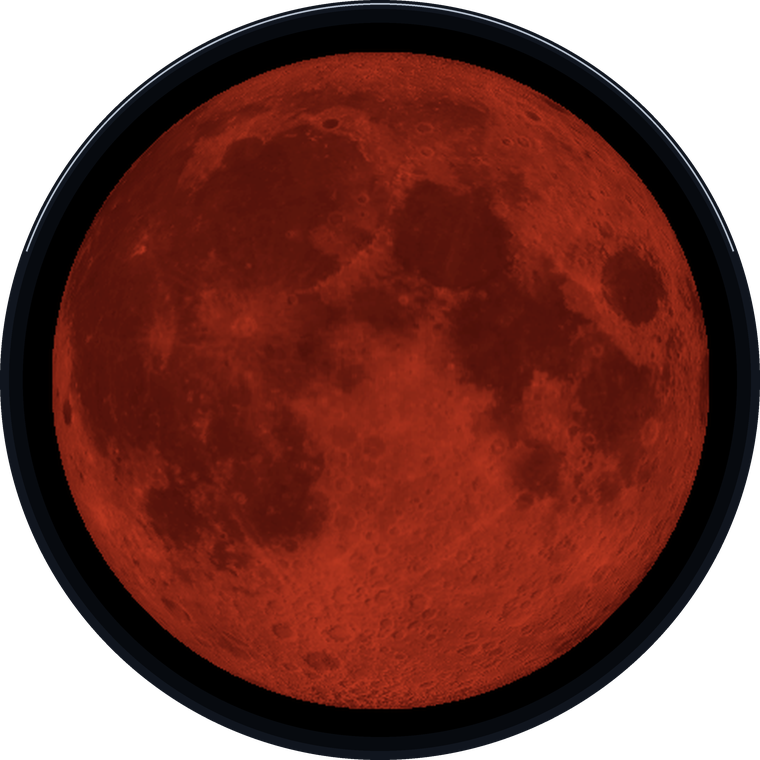
The Moon view isn't a phase icon; it's the Moon as it actually hangs in the sky tonight, the same physics as our Lunaria desk display. It rocks and nods with the Moon's real monthly libration, so over a month you see it tilt and reveal a little around each limb. The dark side glows faintly with earthshine near the new Moon. The disc even breathes: growing ~7% toward perigee, so a supermoon actually looks like one. And when Earth's shadow swallows it, the Moon turns the deep copper-red of a total lunar eclipse.
The blood Moon, on cue
Planetaria predicts every solar and lunar eclipse on-device (validated against the 2026 eclipse canon) and, on the night, renders the Moon reddening as it slides into Earth's umbra: the light of every sunset on Earth at once.
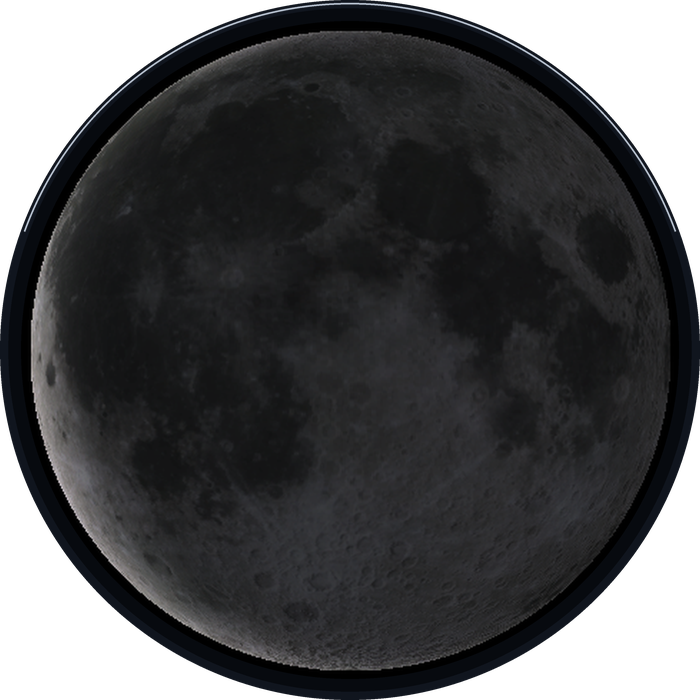
The old Moon in the new Moon's arms
A young crescent with the whole disc faintly lit by earthshine, the sight that has stirred skywatchers for millennia, computed for tonight and drawn on your wrist. A Moon-info card shows the phase, illumination, distance, and the countdown to full or new.
A sky that tells you what's up
Planetaria doesn't just draw the sky; it watches it for you, and none of this needs you to open the app: it's on the face, in the tile, and in optional taps on the wrist.
Aurora, where it's dark
NOAA's live aurora forecast glows green across the Earth's night side, and an aurora-chance complication tells you the odds from where you're standing, with an optional nudge on the nights it's likely.
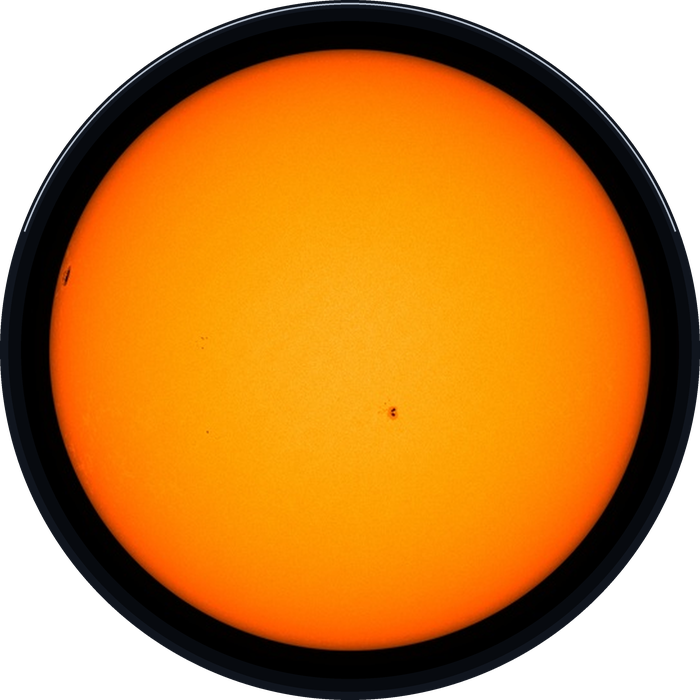
The real Sun, sunspots and all
The Sun view is NASA's actual solar image from today: real sunspots and active regions, refreshed hourly. Plus meteor-shower radiants on the night sky when a shower peaks, and moonrise, moonset and golden-hour complications for photographers.
Next eclipse, aurora chance, next tide, moonrise, golden hour, ISS pass: new complications join moon phase and sunrise/sunset, so you can build a watch face that reads the whole sky at a glance. And a Moon Moment freezes the Moon to a night that matters (a birthday, an anniversary), that night's exact phase, libration and size, kept forever, offline.
Your globe, your framing
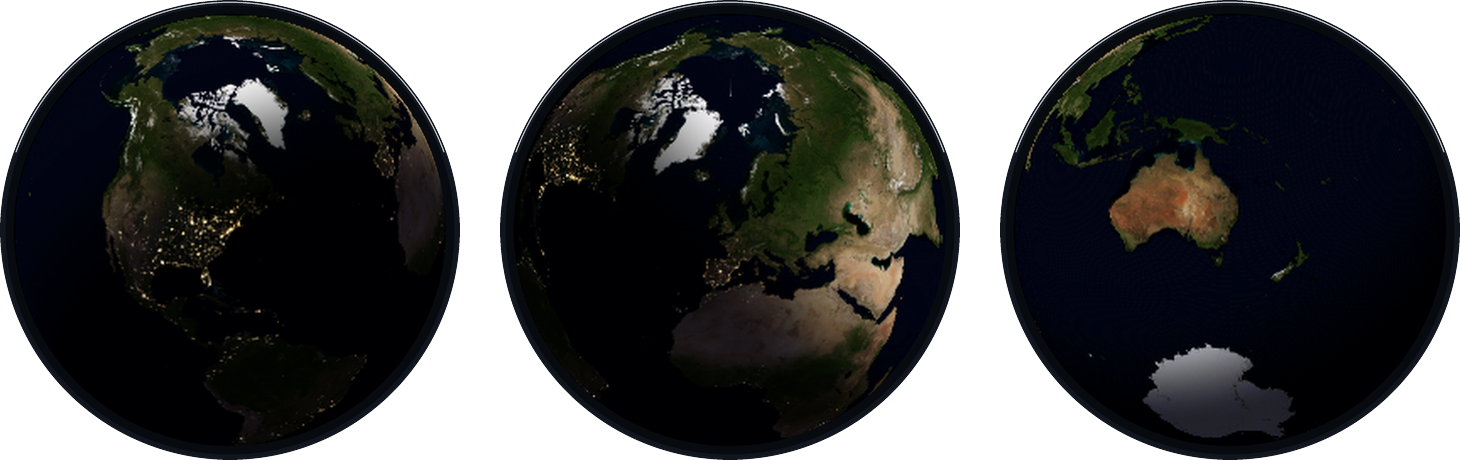
Keep the desk globe's classic sun-framed view, the terminator always in frame, or flip one setting and your home sits at the centre of the disc, tilted to your real latitude, still lit by the real Sun. The original's options came along too: motion time-lapse speeds, view tilt, shadow amount, layer toggles for clouds, city lights, ISS and quakes, brightness and auto-dim at night.
A face, a tile, complications
Wear the planet
A battery-friendly watch face shows the Earth for the current hour with four data dials: tonight's moon illumination, the next tide, sunrise or sunset, and the next ISS pass, each tappable, each also available as a complication for any face you already love.
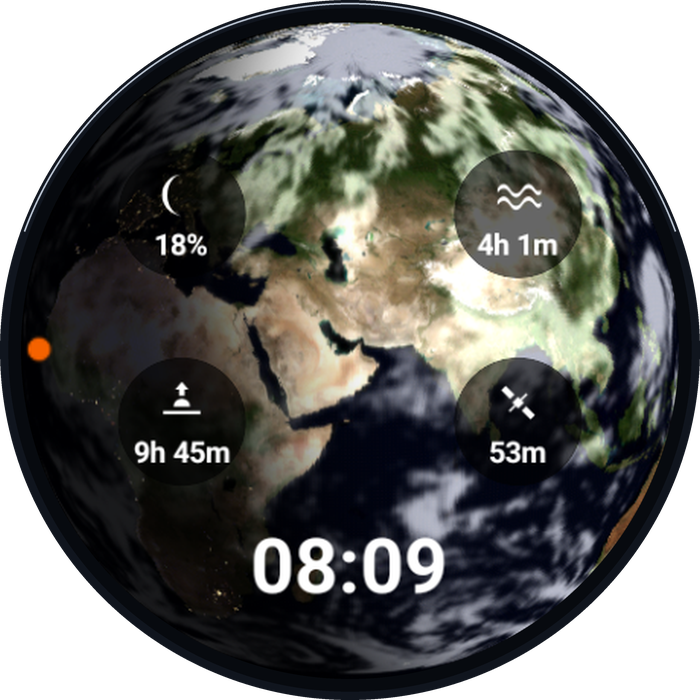
One swipe from anywhere
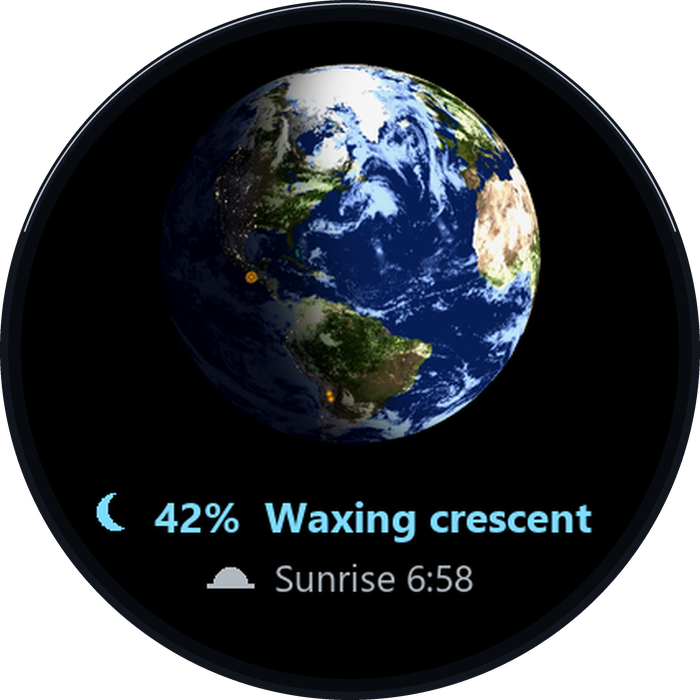
The tile is a snapshot of your planet: your location centred, the real terminator across it, with tonight's moon phase and the next sunrise or sunset beneath. Tap it and the full app opens.
Built like an instrument
On-device astronomy
The subsolar point, moon phase, planet positions, sunrise and sunset are all computed on the watch: the same maths as the desk globe's firmware, validated against reference data.
Offline-first, forever
Lose the network and the astronomy keeps running: globe, terminator, Moon, planets, night sky. Live layers (clouds, weather, tides, quakes, ISS) simply go stale gracefully and catch up later.
Battery discipline
The globe renders on a slow tick, dims instantly in ambient mode, and only runs its time-lapse spin while charging. Live data arrives on a gentle schedule, never a hot loop on your wrist.
App specifications
| Platform | Wear OS 3 or newer, standalone; no phone app required. Tested on a Galaxy Watch 7 |
| Rendering | Per-pixel software spherical renderer, ported from the desk globe's firmware: real subsolar lighting, night-lights blend, live cloud compositing |
| Views | Live Earth (clouds, quakes, ISS, aurora) · NOAA tide dial · the living Moon (true phase, libration, earthshine, true size, lunar-eclipse red) · night-sky planisphere with meteor radiants · live Sun (NASA SDO) · Mercury–Neptune |
| Sky events | On-device eclipse prediction & rendering · aurora forecast (NOAA OVATION) · meteor showers · Moon Moment keepsake dates · optional ISS / aurora / eclipse alerts |
| Face & tile | Watch face with the Earth by the hour + 4 slots · glanceable tile centred on you · complications: moon %, tide, sunrise/sunset, ISS pass, moonrise, golden hour, aurora chance, next eclipse |
| Data sources | NASA GIBS/VIIRS imagery · MET Norway weather · USGS earthquakes · NOAA tides · NORAD ISS orbit; all keyless, aggregated by a free edge worker |
| Built to last | The live layers stand on public data services, including the ISS orbit from CelesTrak and wheretheiss.at, independently run sources we name openly. The app is engineered for that dependency, in three steps. Fresh: every feed is fetched from more than one path, including straight from the agencies with no server of ours in between. Paused: the last good data is kept and its age shown rather than guessed. Ended: should a source ever go away for good, that one layer simply rests: the ISS marker steps aside, alerts speak only from fresh data, and everything around it is untouched. The astronomy itself (globe, Moon, Sun, planets, eclipses, meteor showers, the night sky) is computed on the watch and is yours for as long as the watch runs. |
| Settings | The desk globe's options, on the wrist: motion time-lapse, globe center, view tilt, shadow, layer toggles, time & weather frequency, brightness, auto-dim, °C/°F |
| Privacy | No account, no ads, no analytics. Location stays on the watch except rounded coordinates used to fetch your weather and tides; full privacy policy |
| Price | Free. |